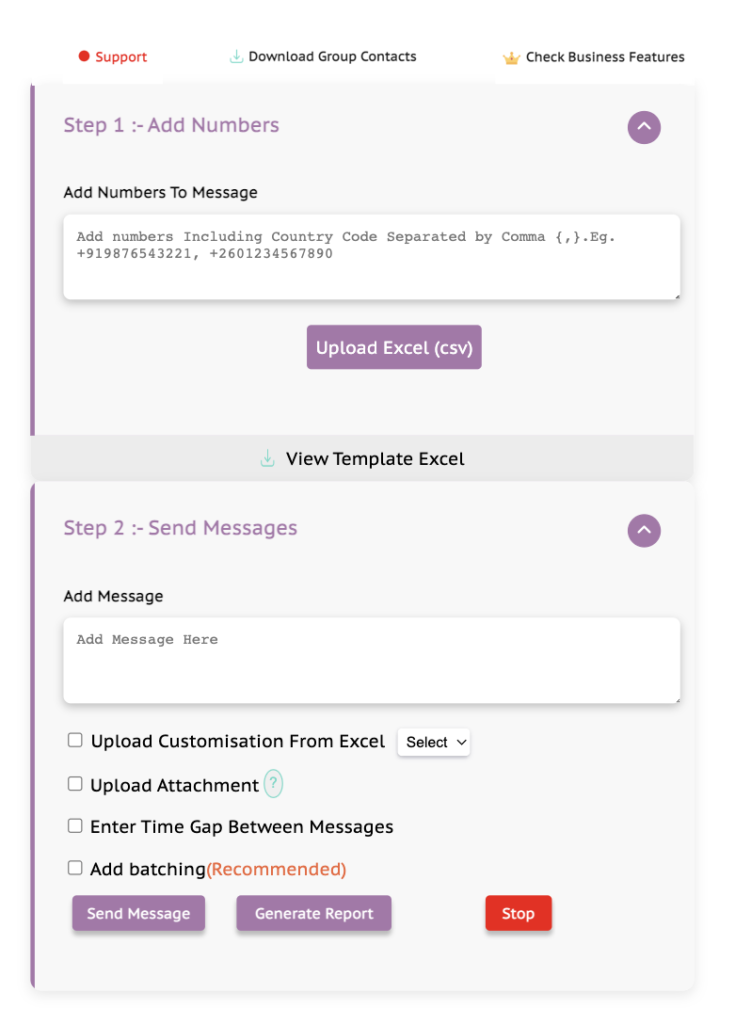
Send Bulk Messages to your clients to create higher conversion.
You can customise your message according to the customer with their name, email, order number,etc.
You can attach and send images, document, videos, etc along with your message to users.
Get a detailed report of your campaigns to improve sales and utilize Prime Sender to the fullest.
You can respond to your customers quickly, with pre-saved responses.
You can click on 'Live Support' on the extension to get your queries resolved. We also provide call and video support.
You can directly upload an excel sheet of numbers you want to send your message to without having to type or copy paste.
You can get a detailed download of all the contacts from a group including the ones you have not saved.
You can format your message - BOLD, Italic, Strikethrough and Emojis.
Experience the power of our extension with our Free plan or take your capabilities to the next level with the affordable Basic plan. For those seeking the ultimate toolkit, our Advance plan delivers top-tier features.
Download now and choose the plan that fits your needs, unlocking a world of enhanced communication and productivity.
Billed Monthly
Billed Annually
The Chrome store extension codes are manually reviewed by the Google team. If an extension poses a threat to the users privacy or violates the terms of use, it is promptly removed. Thus, it can be considered very safe to use.
We take customer privacy seriously. Star Sender follows stringent security measures to protect your data, ensuring it is handled with the utmost care and confidentiality.
Star Sender collects minimal data, such as your email, number, and events performed on the extension, for tracking purposes to resolve any bugs and for basic analytics. We do not store unnecessary personal data, and user privacy is a top priority. This information is not sold to any third parties.
Star Sender retains customer data only for the duration required for the extension’s functionality. We do not keep data longer than necessary to maintain your privacy.
No, Star Sender only reflects the data you upload from an Excel sheet and does not save any information. Your conversations are secure in accordance with WhatsApp guidelines.
Yes, both message contents and attachments are encrypted to ensure their privacy and security during transmission and storage.
No, your personal data will not be sold or transferred to third parties for any purposes unrelated to the extension’s core functionality. It will also not be used for creditworthiness or lending purposes.